Overview
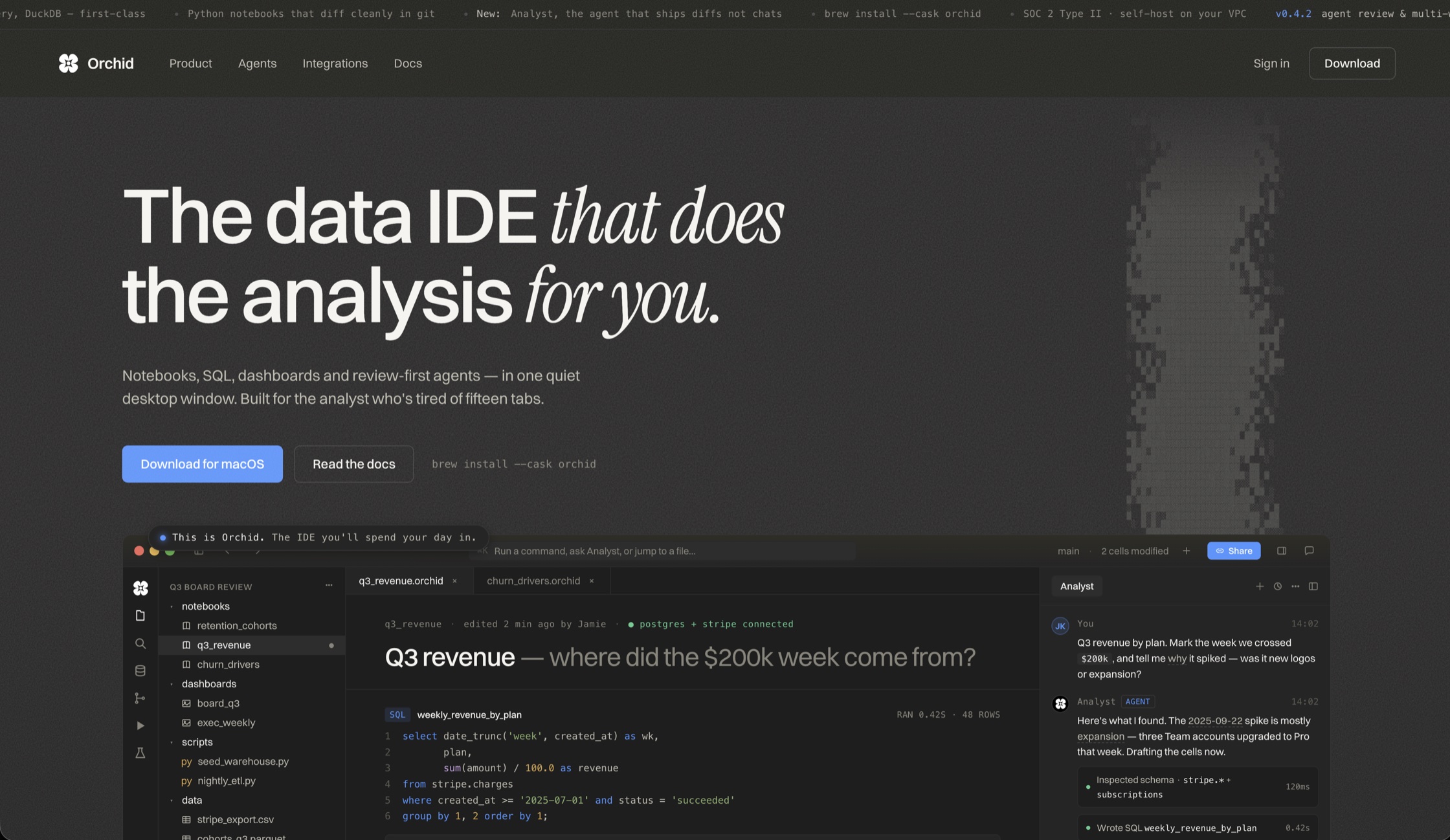
Orchid is a collaborative cloud data-notebook IDE — one workspace where Python and SQL live side by side, connected directly to the warehouses where the data actually sits. It is used by students who need to move between exploratory analysis and real warehouse queries without switching tools.
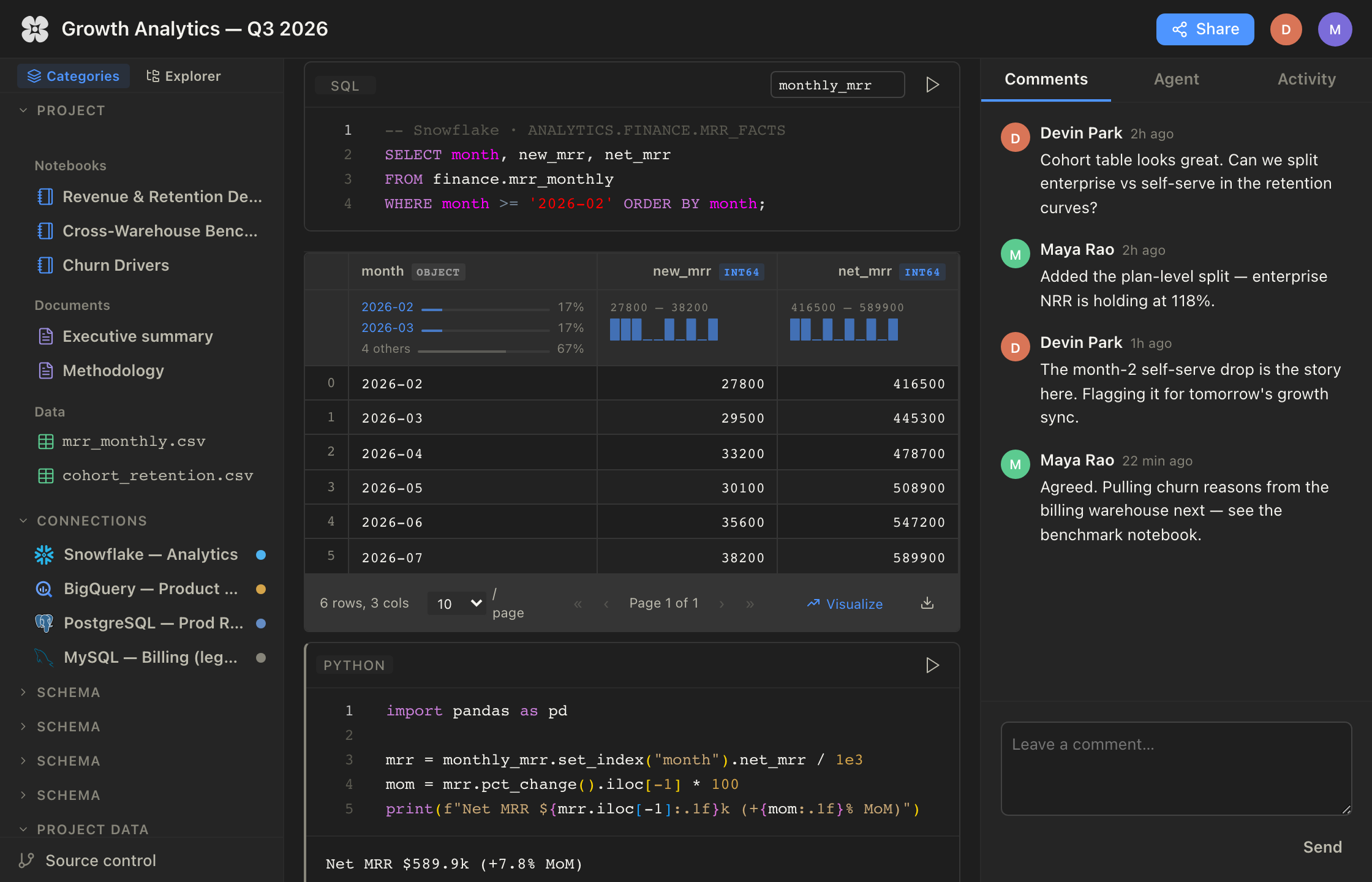
At its core is a multi-warehouse query engine that speaks to Snowflake, BigQuery, PostgreSQL, and MySQL from the same notebook. Write a query once, point it at any connected warehouse, and keep the analysis flowing in the same document — no exporting, no reconnecting, no juggling four different clients.
On top of that sits an AI-enabled assistant that reads the notebook's context and writes SQL and Python directly into cells, plus real-time multi-user collaboration, so a study group or team can explore the same dataset together and watch each other's work land live.
Around the notebooks sits a full IDE: an agents window where AI-proposed cells are reviewed and accepted or denied before they land, built-in Git source control with branch graphs and visual diffs, and auto-generated project overviews that keep every workspace documented — its metrics, notebooks, data sources, and recent activity.
The Problem
Data work is fragmented by default. The notebook lives in one tool, the warehouse in another, the SQL client in a third — and collaboration usually means screenshots or pasted snippets. For anyone learning or working across multiple warehouses, the setup overhead competes with the actual analysis.
Orchid collapses that stack into a single surface: notebooks, warehouse connections, an assistant that understands both, and live collaboration in the same place.
Key Features
- Python and SQL notebooks in one workspace
- Multi-warehouse query engine: Snowflake, BigQuery, PostgreSQL, MySQL — with connectors for Redshift, ClickHouse, Supabase, and local SQLite
- Agents that read the notebook, run warehouse queries, and propose cells behind an accept/deny review gate
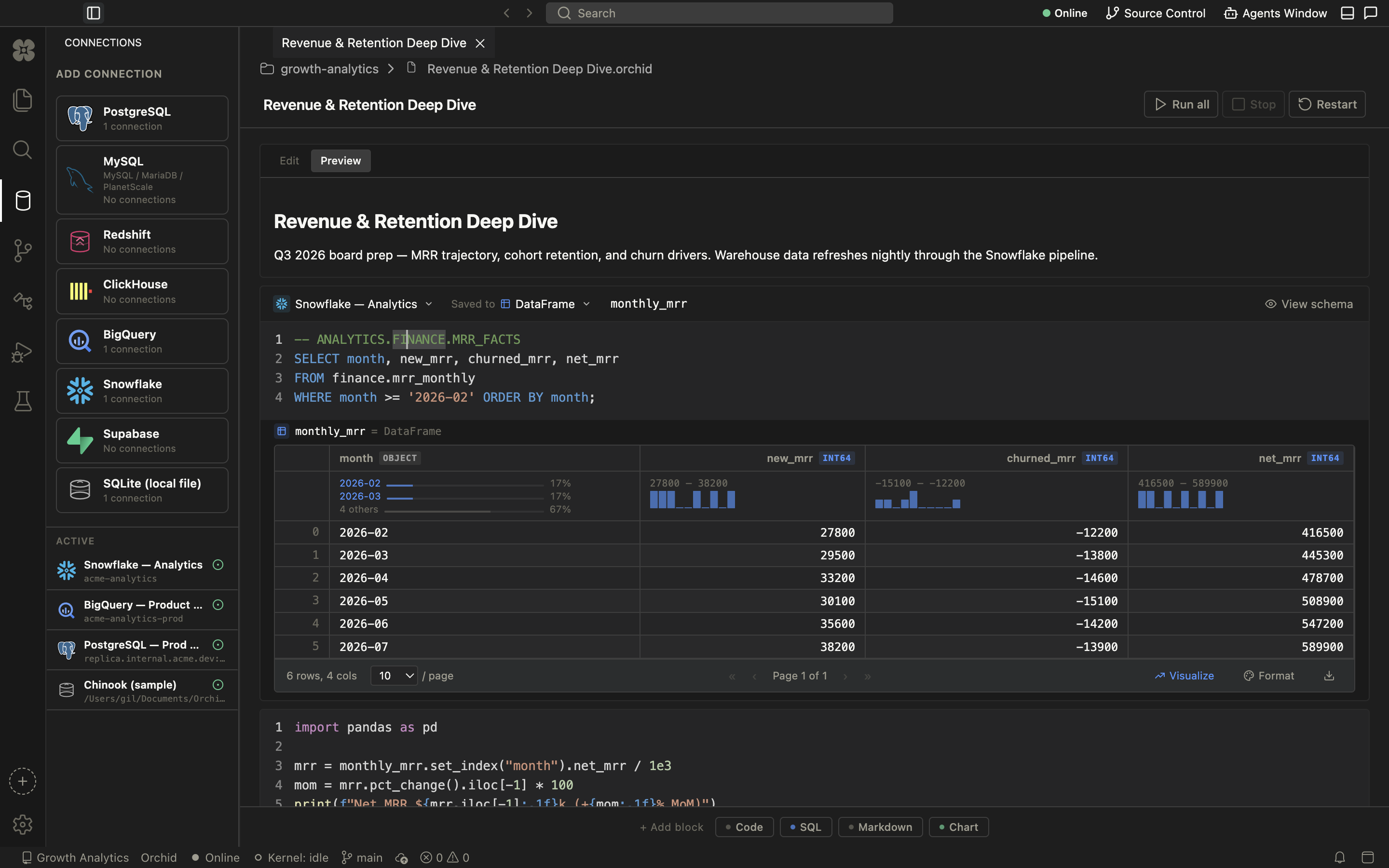
- Real-time multi-user collaboration with live cell updates
- Built-in Git source control — branch graph, tags, and per-commit diffs inside the IDE
- Rich DataFrame previews with per-column stats and one-click visualization
- Auto-generated project overviews: metrics, notebooks, data sources, recent activity
Stack
- Python
- SQL
- Snowflake
- BigQuery
- PostgreSQL
- MySQL
- Redshift
- ClickHouse
- Supabase
- SQLite
Architecture
A unified query layer abstracts warehouse-specific dialects and connection handling behind one notebook interface. The same workflow runs against any connected warehouse; the engine takes care of translating between them and streaming results back into the notebook.
Collaboration state syncs in real time across connected clients — every cell edit, execution, and result propagates to everyone in the session. The AI assistant operates on that same shared document, so its edits show up exactly like a collaborator's.
Execution is isolated per session: Python and SQL cells run in managed backend services, keeping user code and warehouse credentials off the client.
Notebooks are versioned documents: the built-in Git client tracks them like code, with branches, tags, and per-commit diffs. Agent work flows through the same review model — proposed cells are accepted or denied before they touch the document, and every agent query and file read is logged in the run.
Skills Applied
- Data Engineering
- Multi-warehouse connectivity and query execution across Snowflake, BigQuery, PostgreSQL, and MySQL, with dialect-aware SQL handling and result streaming.
- Backend
- Python and SQL execution services with per-session isolation and connection management for concurrent collaborative notebooks.
- AI Integration
- Agent workflows that read notebook context, run warehouse queries, and propose SQL and Python cells behind an accept/deny review gate, with hosted and local model options.
- Real-time Systems
- Live multi-user collaboration — synced cells, executions, and results across every connected client.
- Developer Tooling
- Built-in Git source control — branch graphs, tagged releases, and per-commit diffs — integrated directly into the notebook IDE.
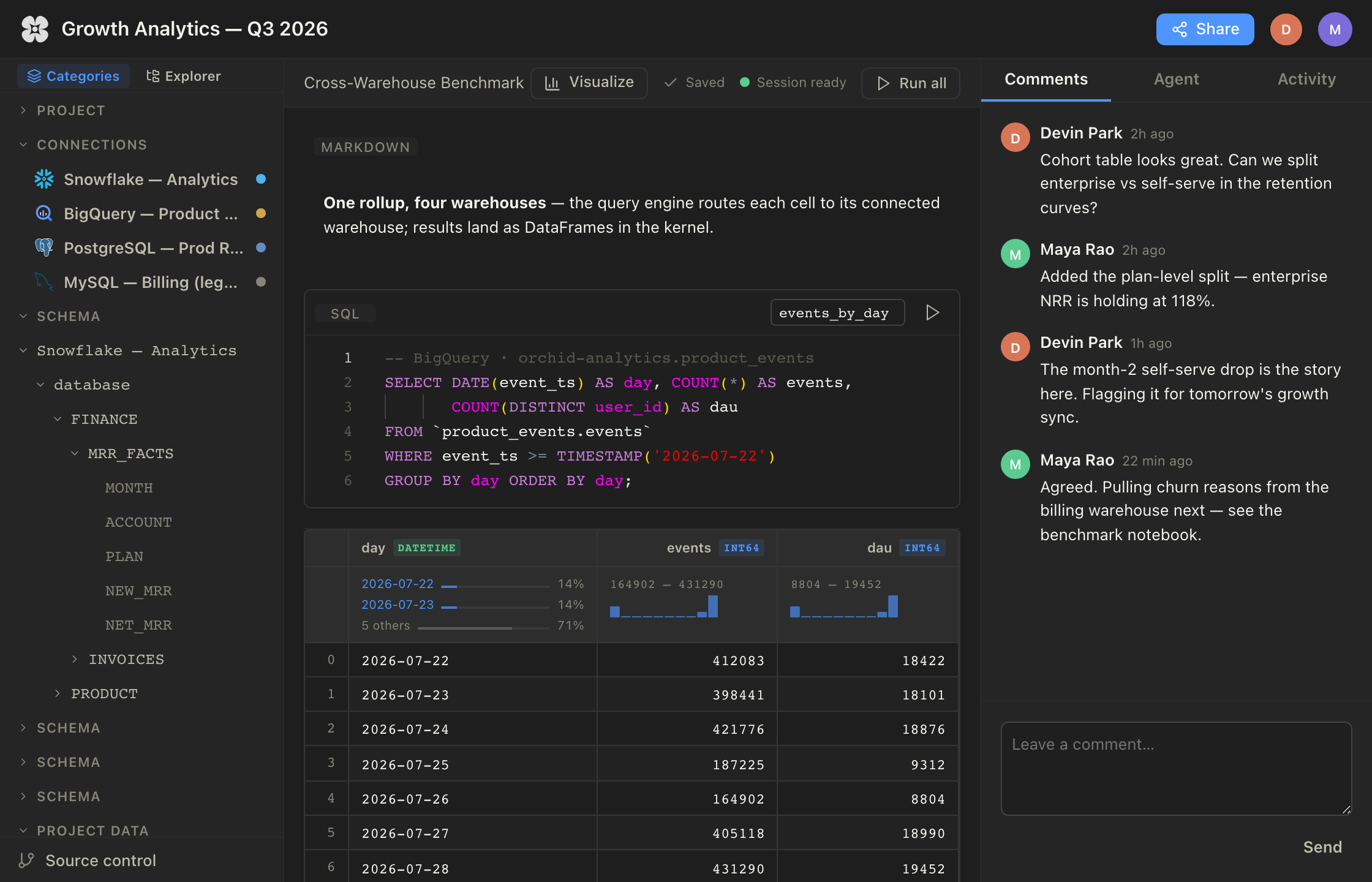
Multi-warehouse query engine — one rollup, four warehouses.
- Each cell routes to its connected warehouse: a BigQuery events query runs beside Snowflake finance queries in the same document, and results land as DataFrames in the kernel for Python to pick up directly.
- A schema browser keeps every connection's databases, tables, and columns one click away while writing SQL.
- Cross-warehouse rollups normally mean four clients and manual exports — here the benchmark is one notebook.
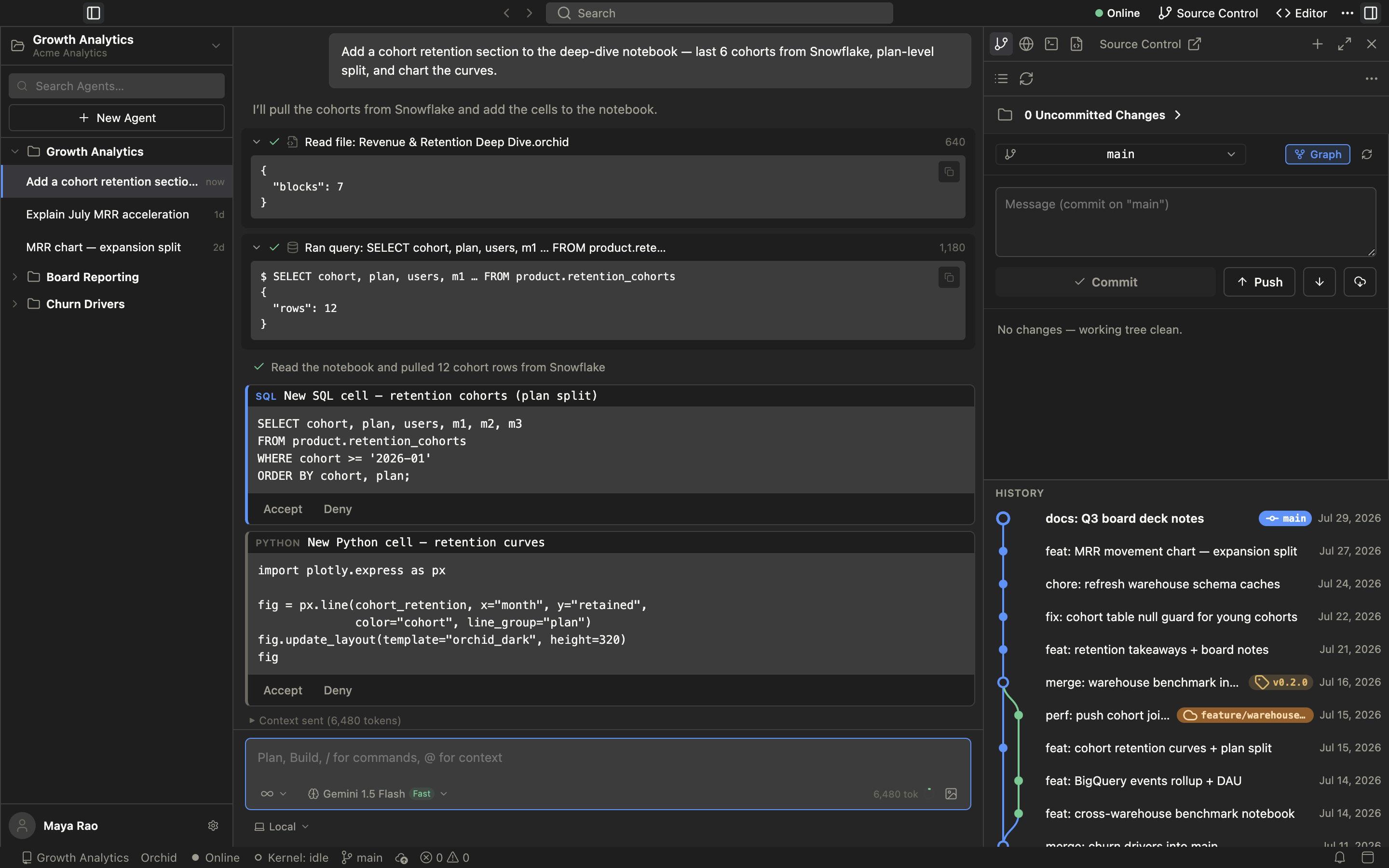
Agents window — AI work reviewed like a collaborator's.
- An agent takes a task — "add a cohort retention section" — reads the notebook, and runs the Snowflake query itself.
- Proposed SQL and Python cells arrive as Accept/Deny cards: nothing lands in the document without review.
- Per-project task history, a model picker with hosted and local options, and visible token/context usage per run.
- AI output stays attributable and reversible — treated like a teammate's change, not an autocomplete.
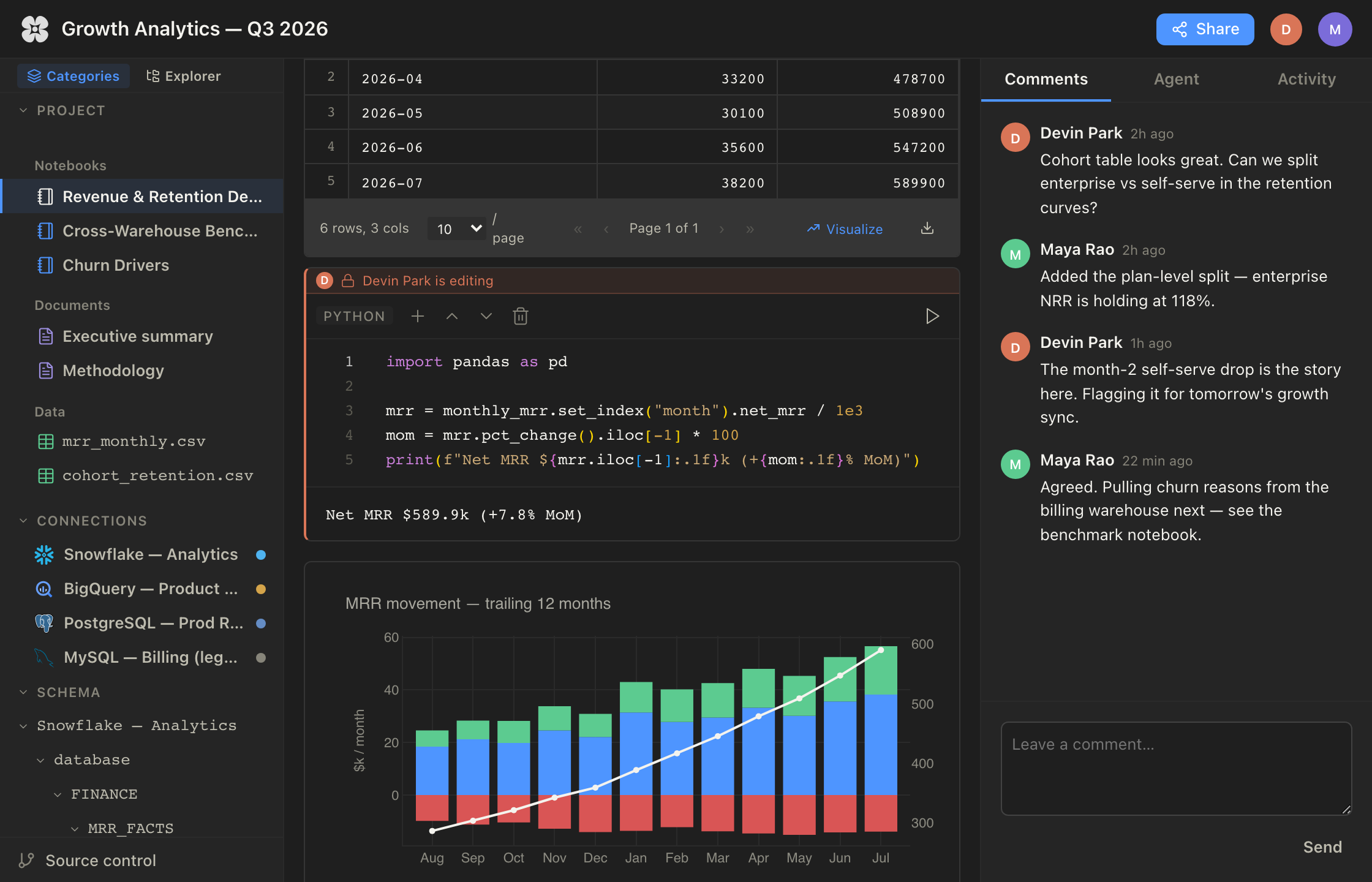
Real-time collaboration — a notebook session shared by the whole team.
- Cell-level presence: an "editing" lock shows who's working in a cell while avatars show who's in the session.
- Threaded comments sit beside the notebook, so review happens next to the exact analysis it's about.
- Everyone sees executions, results, and charts land live — including cells contributed by the agent.
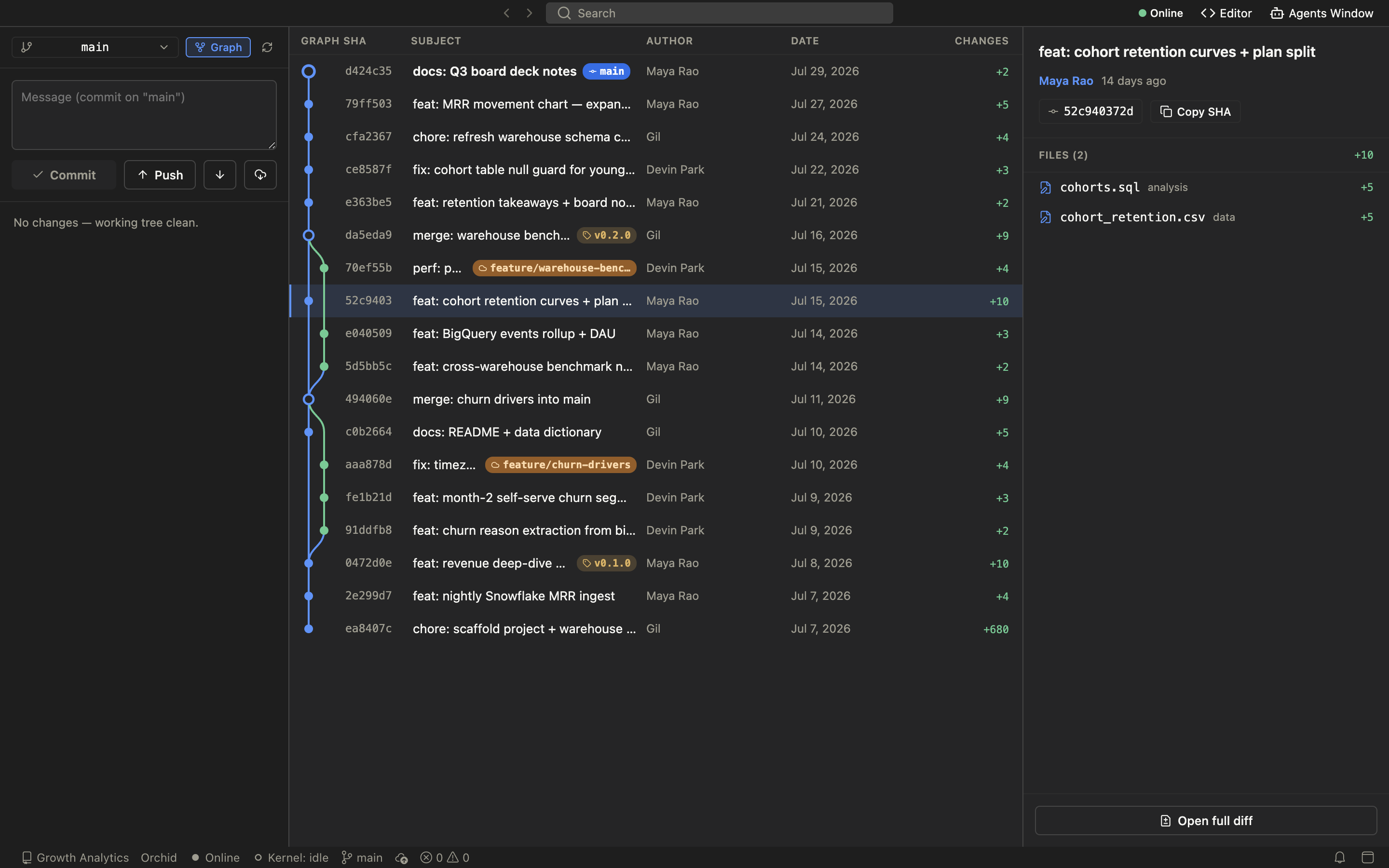
Built-in source control — notebooks versioned like code.
- A full commit graph with feature branches, merges, and tagged releases — inside the IDE, no terminal detour.
- Every commit lists its changed files and opens a full diff; commit and push without leaving the notebook.
- Multi-author history across analysts and agent contributions alike — the end of untitled-final-v3 notebooks.
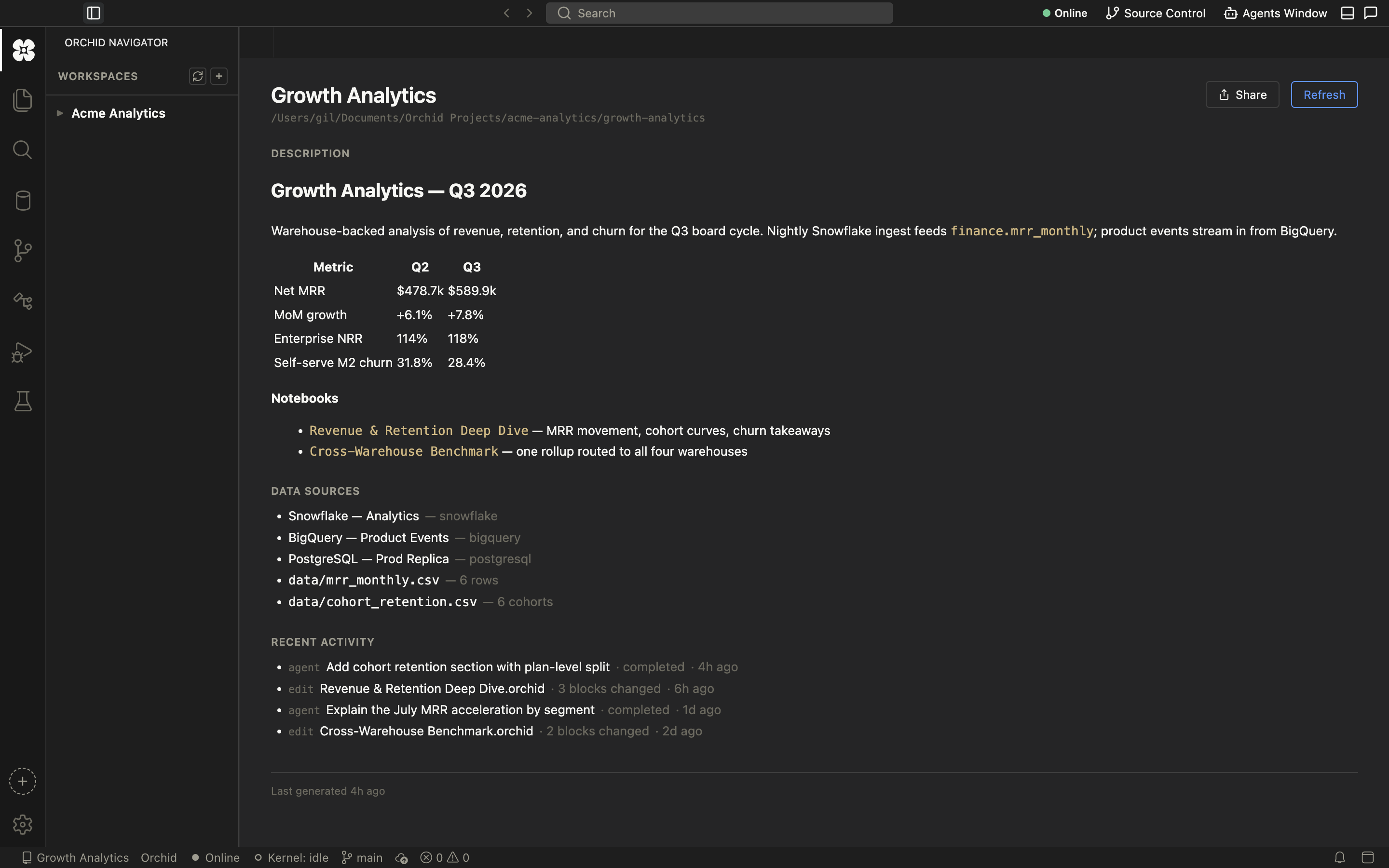
Project overview — documentation that writes itself.
- An auto-generated workspace summary: headline metrics, notebooks, data sources, and recent activity in one page.
- Data sources span warehouse connections and plain CSV files, listed with row counts.
- Agent runs and human edits share one activity feed, so the project's recent history is always current — nobody has to maintain it.
Live Demo
A hosted demo is in the works — it will live right here on this page.